One-tap VPN for Android with low device overhead
Try Great Tunnel from MS KHOKAN VARITIES STORE to add private browsing on Android devices. The app creates an encrypted VPN tunnel to route traffic through fast, stable servers and protect activity on Wi‑Fi and cellular networks. It offers one-tap connection, requires no registration, and uses a lightweight design to conserve memory and battery. The tool is aimed at Android users who want quick, minimal-setup privacy for everyday browsing without complex networking controls.
What does the app do for mobile privacy?
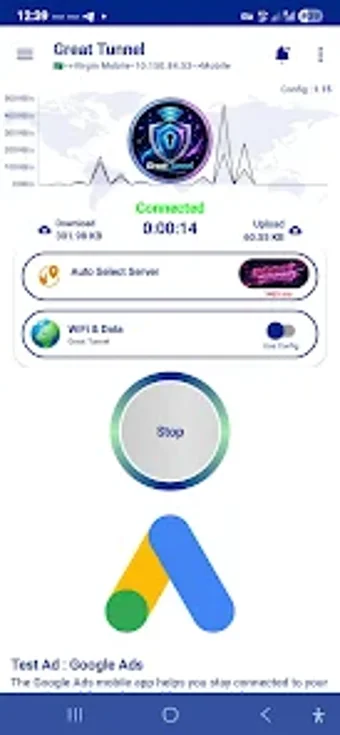
In practice, the app establishes an encrypted VPN tunnel that routes internet traffic through remote servers and supports both Wi‑Fi and cellular networks. Practical outcomes include hiding traffic from local networks and stabilizing connections on public access points. Typical use cases are casual browsing, avoiding tracker-level profiling, and getting a consistent connection when switching network types. The interface lets users pick a server and connect quickly.
Does the app affect device performance during use?
Moreover, the app is designed to be lightweight and to save device memory and battery, which makes it suitable for a broad range of Android hardware. The listing states the design minimizes resource use so the VPN can run in the background without high overhead. This focus on low resource impact targets users who need persistent protection without noticeable slowdowns during typical browsing sessions.
Is it safe to use on public networks?
Nevertheless, the app advertises data encryption to enhance online privacy and describes itself as a secure tunnel for internet traffic. The absence of account creation reduces the amount of personal data stored locally by the tool. At the same time, the product emphasizes simplicity rather than advanced network controls, so it is positioned as a basic privacy layer rather than a feature-rich security suite for specialist scenarios.
Do I need technical knowledge to operate the app?
In addition, the workflow is aimed at minimal setup: users select a server and tap connect, with no registration required. That design makes the app accessible to non-technical users who want immediate protection without learning VPN configuration. It is also noted for straightforward installation and operation, which suits mobile users who prefer a simple tool for routine, on-the-go privacy tasks.
A practical choice for non-technical users, limited for advanced needs
The app is a practical option for Android users who want immediate privacy with low device impact; it serves casual browsing protection and short sessions well. The trade-off is limited configurability and fewer advanced networking controls, so users who need fine-grained protocol settings or deep traffic management should consider alternatives. For quick, low-friction protection, the tool performs reliably in everyday mobile scenarios.